The thatfolio guide
How to make a student portfolio
A student portfolio is a small collection of work that shows what you can do. Your resume gives someone the outline; your portfolio gives them the evidence. You can build one from coursework, personal projects, volunteering or an internship. You do not need a long employment history.
Start with the role or opportunity you want. A software internship, a design placement and a communications role call for different examples. Choose work that helps someone understand your contribution to that kind of role.
What should a student portfolio include?
Include a short introduction, two to four strong projects, relevant experience and education, and a way to contact you. Add your resume or professional links when they help. A focused portfolio is easier to assess than a complete archive of every assignment.
- Introduction: your name, what you study or make, and the opportunities you are looking for.
- Projects: the problem, your role, your process, the outcome and a link or image that demonstrates the work.
- Experience: internships, part-time work, society roles and volunteering that show relevant skills.
- Education and skills: your course and capabilities, supported by examples elsewhere on the page.
- Contact: a professional email address and relevant links, such as GitHub or LinkedIn.
How to present a project clearly
Give each project a descriptive title. Explain the problem in one or two sentences, then say exactly what you did. For group work, distinguish your contribution from the team's result. Show a screenshot, a live demo, a repository or a short extract, where you have permission to share it.
For example, a hypothetical campus events project might read: "Our club needed a simpler way to collect event registrations. I built the mobile signup form and confirmation page, tested the flow with five classmates, and revised the labels after two people missed the date field." This explains the work without claiming a business result that was never measured.
Finish with the outcome and what you learned. Use numbers only when you can substantiate them. If a project is unfinished, label it as a prototype and explain what works today.
What if you have no work experience?
Use a class assignment, a self-directed project, an open-source contribution or work for a student organisation. Explain the brief, the constraints and the decisions you made. A small project with a clear explanation can provide more useful evidence than a large project with no context.
Keep hypothetical work clearly labelled. Do not present a practice redesign as paid client work, invent testimonials or imply that a company endorsed your project.
Choose a portfolio template that suits your work
Choose a design that makes your strongest work easy to find. Developers may need room for project links and technical decisions. Designers may need larger images and a short account of their process. Writers may need readable excerpts and links to complete pieces.
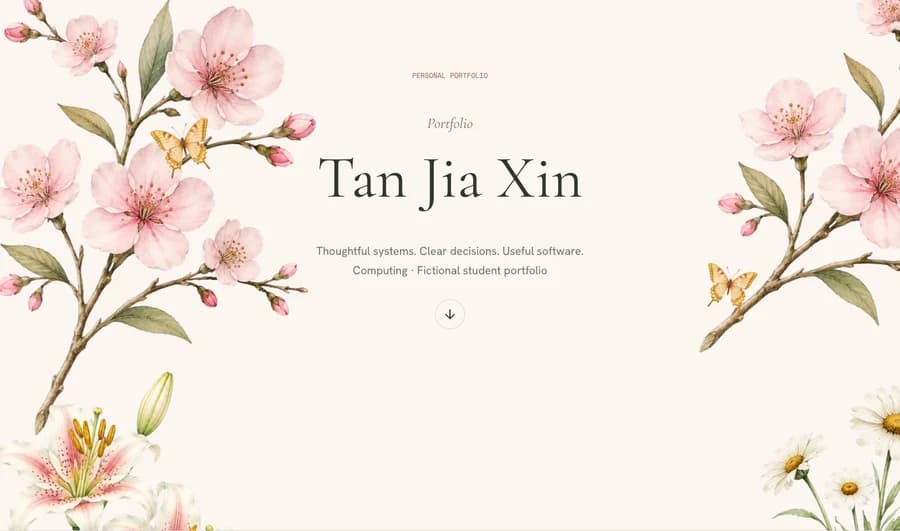
Browse the portfolio theme collection and check a design on both a phone and a desktop. Look for readable text, clear navigation and images that still make sense on a small screen.
Build a portfolio from your resume
Your resume is a useful starting point, but a portfolio needs more detail around the work itself. Turn a bullet such as "built a web application" into a project explanation: who needed it, what you built, why you chose that approach and what happened.
With thatfolio, you can start from a resume PDF or pasted text, a GitHub username, or LinkedIn text. Choose a theme and generate an initial portfolio, then review the content and make your edits. AI generation happens during onboarding; later editing is manual. Check every factual claim before publishing.
The standard trial includes one generation and one hour to explore and edit privately. Publishing one portfolio costs US$10 once, with no recurring subscription. Your public address uses the format your-name.thatfolio.com, subject to availability.
Check these details before sharing
- Open the site on your phone and check that the text, images and navigation remain usable.
- Test every project link, download and contact link, including from a signed-out browser.
- Remove private addresses, student identification numbers, confidential material and other people's personal information.
- Check spelling, dates, project credits and any AI-generated statements against your source material.
- Ask someone unfamiliar with your work to explain what you contributed after reading a project.
Once the site is published, add the link to your resume and professional profiles. Review it as you complete new work and tailor the projects you highlight to the opportunities you want.
Create your portfolio